
Python binary analysis for Windows
Inspect files, disks and process memory. Automate analysis with Python.
Analyze binary structures with embedded Python 3.10, built-in scripts and one-click execution. See script provenance and choose which modules may be loaded.
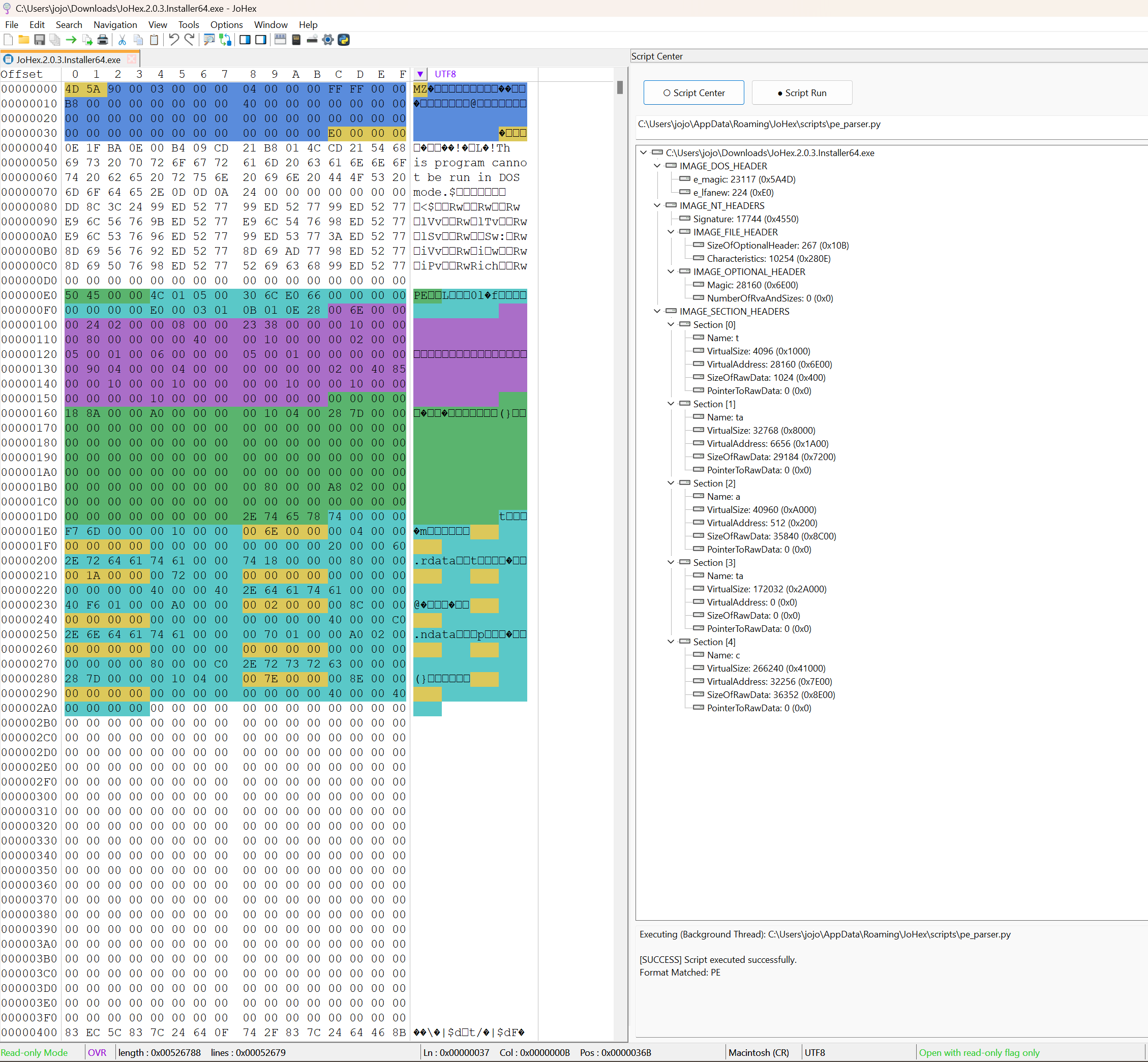
Python analysis
Official scripts receive a green shield after signature verification. Scripts from a user-defined directory receive a yellow shield to identify their source. These badges distinguish provenance; they do not guarantee that every script operation is harmless.
Workflow
- Open a working copy
- Inspect the target bytes
- Review the result
Choose a built-in analysis script or a script from your custom directory. Check its shield and configure module restrictions, then run analysis and inspect the visualized file structure.
Before changing data
Safe mode can prevent selected modules such as process and network from loading. It is a configurable restriction, not a claim of complete isolation. A green shield indicates a verified official signature; a yellow shield identifies a custom script.
Common questions
How does Python safe mode work?
You can disable selected modules, for example process and network, to prevent them from loading. This setting is not a guarantee of a fully isolated sandbox.
What do the script shields mean?
A green shield marks an official script whose signature passed verification. A yellow shield identifies a script from your custom directory, rather than a malicious-script verdict.
What is sent to the AI service?
You configure the endpoint URL, API key and model name in Settings. JoHex sends the editor content you select and adds analysis context, such as the current file-analysis task.
Can deleted files always be recovered?
No. JoHex analyzes residual filesystem data. Recovery depends on the remaining information, and no success rate is guaranteed.
How does JoHex handle large files?
JoHex uses cached loading rather than keeping an entire large file in RAM. This helps control memory use and stalls; actual responsiveness depends on storage and the operation.
Use JoHex for your next binary analysis task.
Review the available edition and download options before installing.